
How to Collect Wedding Guest Photos and Videos with QR Codes
Guests already have cameras in their pockets. A QR code gives those memories one calm place to land, during the day and long after the last dance.
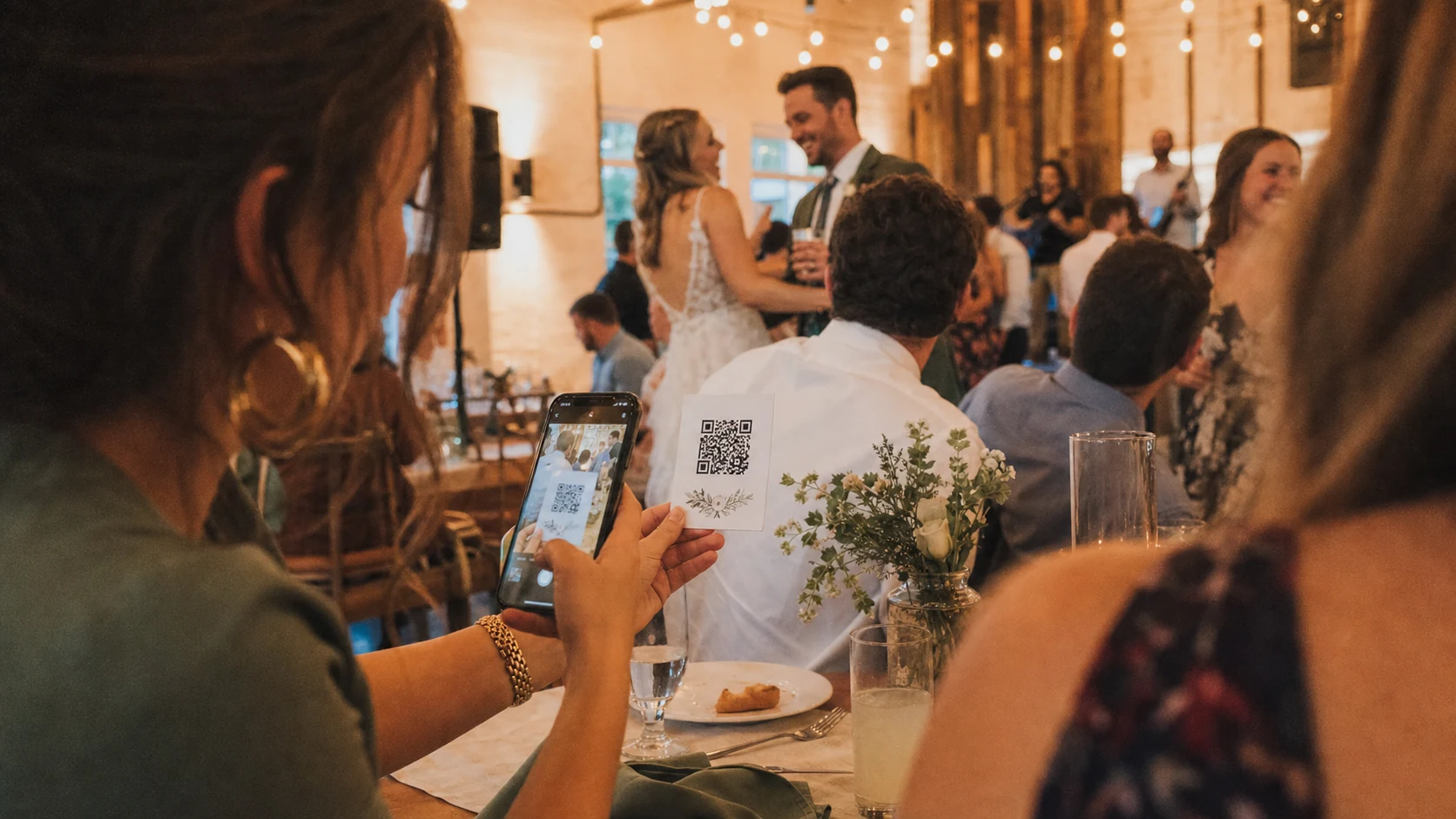
Weddings produce two kinds of memories: the ones a professional plans for, and the ones nobody planned at all.
A cousin catches the private joke at cocktail hour. A bridesmaid films the first look from a different angle. Someone at table nine photographs the cake before it disappears. Those moments are often the ones that feel most like the day, and they're also the ones that vanish into thirty camera rolls.
A QR code doesn't invent a new tradition. It gives every guest the same quiet door into one shared album.
#What guests actually want
Most guests will not download an app for your wedding. They will not remember a complicated upload portal. They will scan something if it looks official, safe, and fast.
That means the guest experience has to feel almost boringly easy:
- See a QR code
- Open the link
- Add a few photos or videos
- Put the phone away
If those four steps take longer than a toast, you've lost people.
#Setting up the QR code
Treat the code like stationery. It should feel designed into the day, not taped on as an afterthought.
Good places for it:
- A welcome sign near the entrance
- Table cards with a short line of invitation copy
- A framed display near the guest book
- The program, if you print one
- A dedicated tablet or TV in kiosk mode at the venue
Write one sentence that explains the point. Something warm and clear: "Scan to add your photos and videos to our wedding album." Guests should know what happens before they scan.
Create the event early enough that you can test it on two phones that aren't yours. Confirm the link opens, the upload works on cellular data, and the album name looks right under pressure.
#Privacy without awkwardness
People are more willing to contribute when they understand the boundaries.
A few practices go a long way:
- Use a short event window so the upload link isn't open forever
- Add a PIN if the venue is public or the link might travel
- Tell guests the album is for the couple and their closest people, not the open internet
- Decide ahead of time who can moderate or remove uploads
Privacy here is less about legal fine print and more about emotional safety. Guests should feel they're joining a celebration, not feeding a public feed.
#Live slideshows change the room
Once memories start arriving, a live display turns the album into atmosphere.
A tablet or TV near the dance floor can show new uploads as they land. People notice their upload appear. Friends start looking for the code. Contribution becomes social instead of homework.
You don't need the slideshow to be the centerpiece. It just needs to be visible enough that the loop starts: scan, upload, smile when it shows up.
If you're using a tablet as the display, make sure it meets current app requirements (iOS 15.5+ and Android 7+). Guest uploads still work from a regular phone browser with no app install.
#Shared albums after the last dance
The best wedding memory collections are useful the morning after.
When every guest contribution lands in one album, you avoid the week of "can you AirDrop me that one?" and "I think it's in the group chat somewhere." The professional gallery can still be sacred. The guest album becomes the living scrapbook: imperfect, funny, full of angles nobody hired.
That archive is also kinder to parents and friends who weren't glued to their phones. They can revisit the day without reconstructing it from twenty threads.
#No app required vs. app benefits
For guests, no app required is the goal. A browser link removes friction and keeps the night about the couple.
For hosts, an app can still help behind the scenes: managing the event window, moderating uploads, running a display, and keeping the album tidy after the weekend. The trick is not forcing that tooling onto every guest.
A good setup separates those roles cleanly. Guests contribute lightly. Hosts curate calmly.
#Tips from real events
A few patterns show up again and again:
- Put the QR code where people naturally pause, not only where they hurry past
- Ask your wedding party to upload early so the album never looks empty
- Keep one person lightly watching moderation during the reception
- Remind guests once, warmly, from the microphone, then let the signs do the work
- Leave the event open through brunch the next day; some of the best memories arrive late
- Download or favorite your favorites while the feeling is fresh
And one soft rule: never make contribution feel mandatory. The people who want to share will share if the door is obvious.
#The feeling you're designing for
Wedding memory collection isn't a tech project. It's hospitality.
You're telling every guest: if you caught something beautiful today, there's a place for it. No scavenger hunt. No pressure. Just a simple scan, and a shared memory that gets to stay with the people who lived the day.
LumiFrame Album Events are built around that idea: a QR code guests can use without installing anything, a live album that updates as the celebration unfolds, and a home for those memories after the lights come up. Set it up once, place the code with care, and let the room fill itself in.
#Keep reading
Event memory sharing · Album Events guide · Plans and pricing